5. Verify detections
Check the camera image, then the robot’s decision. Seeing a local pose is only the first check.
A visible tag does not guarantee a pose. Calibration required means Spot can detect tag IDs and corners but cannot compute a trustworthy distance or pose. Complete intrinsics for each actual camera and capture mode. Then verify the field layout, tag size and measured mounts; robot timing and acceptance checks still apply. The Detections panel explains whether a local pose is available.
Check the image
Section titled “Check the image”- Open Overview and check detection FPS and frame age.
- Open a camera and enable Show detection outlines. Confirm tag boundaries and IDs align with the displayed image.
- Inspect Detections and Solver candidates for that frame.
- Use Pause image for a closer look; resume to request fresh frames. Processing and publication continue while the image is paused.
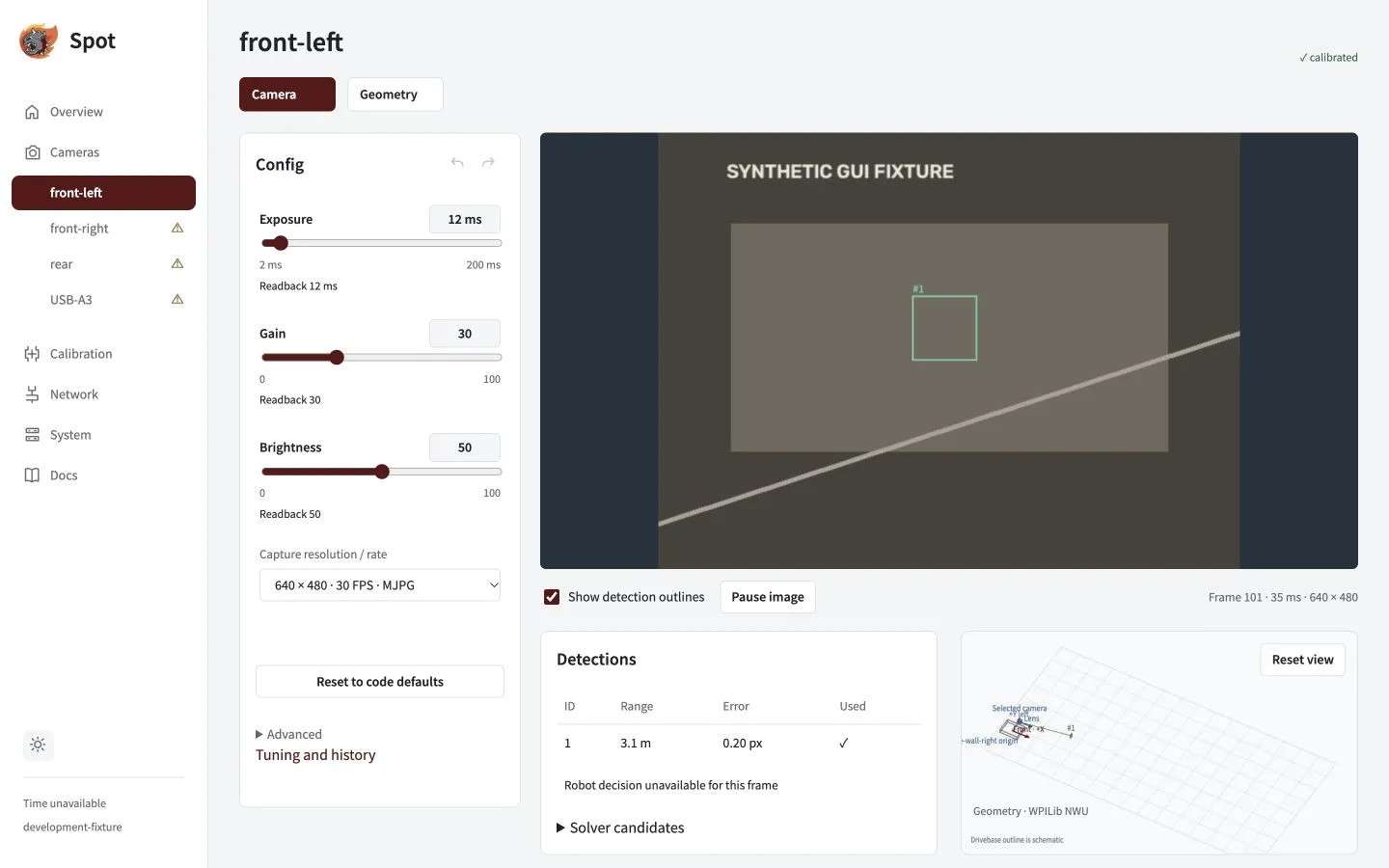
Image, table and candidates describe the same displayed frame. The example feed is synthetic.
Read the status correctly
Section titled “Read the status correctly”| Indicator | Meaning |
|---|---|
| Detection FPS | Usable detector/solver cadence; separate from capture and browser preview FPS |
| Zero tags | Normal for a fresh frame without visible tags |
| — | Metric unavailable |
| Increasing frame age | The last frame is getting older; stale images lose their outlines |
| Blue / amber candidate | Local lowest-image-error solution / alternative solutions |
| Robot validation / fusion | Separate robot decisions for the identified frame and capture epoch |
Confirm robot acceptance
Section titled “Confirm robot acceptance”Check Robot validation and Fusion on the camera page. If feedback is unavailable, local detections do not establish robot acceptance. For a rejection, use the fault lookup.
The robot checks capture-time pose and mount history, tag geometry, field bounds, timestamps and innovation. IPPE alternatives need a decisive capture-time heading advantage.
Before enabling fusion: complete the real Jetson/roboRIO hardware trials and team review. Fusion and revised trust default off; heading fusion remains disabled. Fixture screenshots and CPU simulation do not qualify hardware.
Hardware qualification checklist
- Match measured capture timing to the physical identity, exact mode and control readback.
- Verify FPGA timestamp domains and sentinels, sensor-to-read delay and uncertainty.
- Measure four-camera throughput, frame age and image/pose accuracy.
- Test USB/Ethernet outages, independent boot orders, abrupt power loss, recovery and rollback.
Export the timing signature in the System support bundle. Submit measured timing evidence through the API while disabled. Mode/control changes invalidate that evidence. Never use zero uncertainty or adjust timestamps to hide clock errors. See API and Java integration for the timing-record contract.