Deployment / rollback
Build an immutable release, activate its ID, then verify the software actually running.
Install a release
Section titled “Install a release”On the Jetson, prepare the build prerequisites in the repository README, then run:
pnpm --dir docs-site install --frozen-lockfilepnpm --dir docs-site build:jetsonsudo deploy/install.sh /home/team581/spot-2026The documentation build needs Node and pnpm. Alternatively, copy the prebuilt
dist/jetson-docs/ directory with the checkout; installed releases need neither tool.
The installer builds and verifies the CUDA wheel and prints a release ID. It does not switch the running service.
Activate and verify
Section titled “Activate and verify”For a qualified, disabled robot, replace RELEASE_ID with the printed ID:
sudo /opt/spot-vision/activate.py RELEASE_IDFor initial offline GUI setup while hardware qualification is pending:
sudo /opt/spot-vision/activate.py RELEASE_ID --setup-onlyActivation restarts the service and waits up to 120 seconds for HTTP/native identity and the required readiness checks. Open System to verify the result.
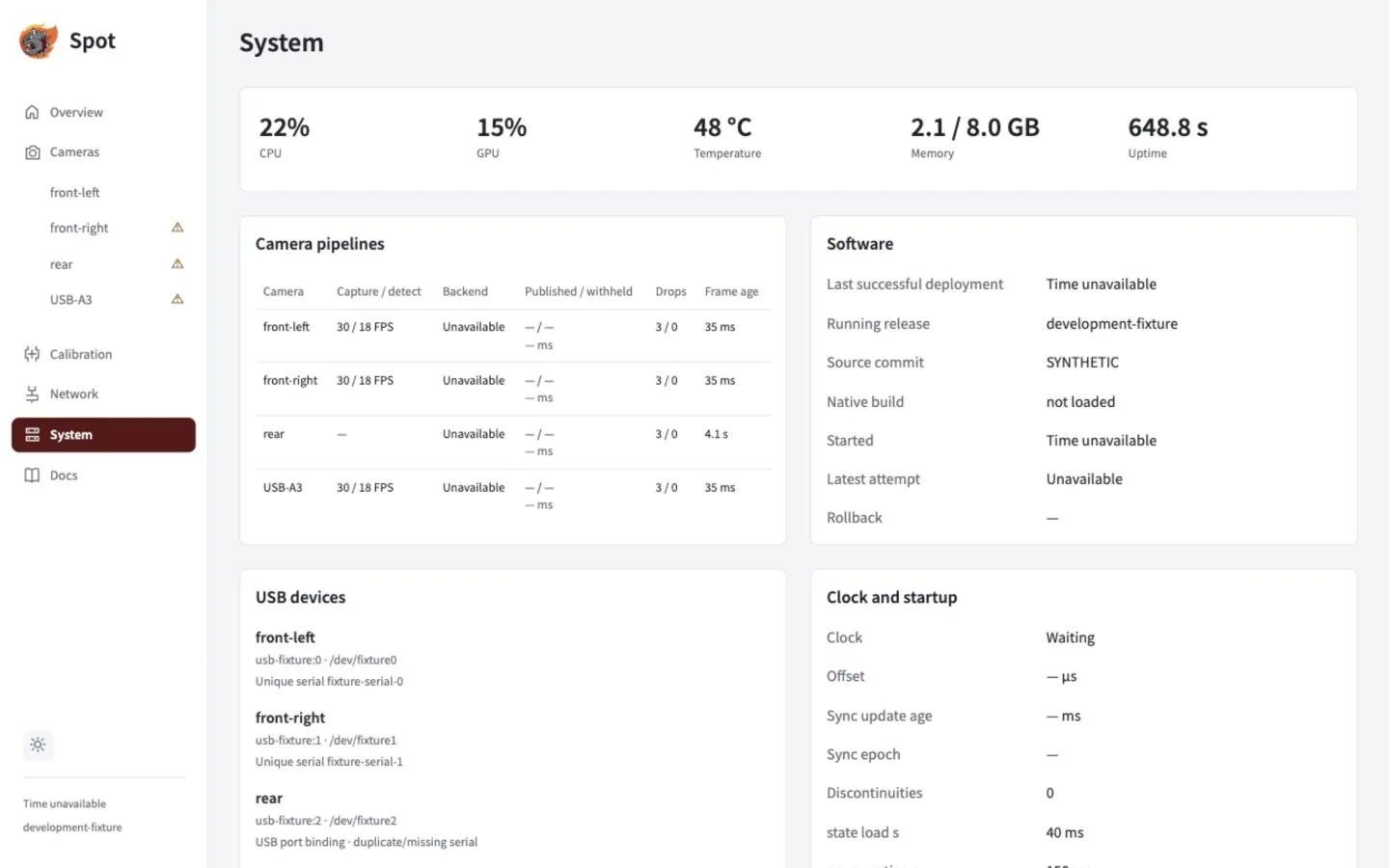
Use the Software panel to check the running identity and latest attempt. This demonstration has no installed native build.
| System field | Check |
|---|---|
| Running release | The intended release ID and actually loaded module |
| Last successful deployment | The latest verified activation |
| Last attempt / rollback | Whether the latest switch failed or restored a previous release |
| Started | Process start time; calendar time may be unavailable until clock verification |
Roll back
Section titled “Roll back”Activate an existing compatible beta release ID using the same command. Failed verification automatically restores the previous release link and restarts it. Saved assignments, calibrations and installation settings stay outside release directories.
Get diagnostic evidence
Section titled “Get diagnostic evidence”systemctl status spot-visionjournalctl -u spot-visionFrom System, export a support bundle/configuration or record 10–30 seconds of bounded diagnostics. Recording does not take camera ownership.
Release layout and migration details
Application files live read-only under /opt/spot-vision/releases/RELEASE_ID; activation atomically switches current. Writable state lives under /var/lib/spot-vision, and /etc/spot-vision is read-only to the service. Installation records dependency versions and verifies native/application assets.
Preserve the historical alpha installation before a first migration. An alpha wheel is not a beta rollback target. Configuration imports check the current profile, identity, policy, mode and calibration before atomic disabled-only acknowledgement. Without verified wall time, System shows Time unavailable while release identity and monotonic uptime remain available.
Ethernet controls and discovery
Section titled “Ethernet controls and discovery”The normal installer includes the network helper and local-name discovery. On an existing installation, run sudo deploy/install-network.sh /absolute/spot/source from the source checkout, then deploy the updated Spot application. NetworkManager and Avahi must be installed. This does not change Ethernet addresses; choose Automatic or Static on Network → Jetson address.
Local-name discovery advertises the Jetson’s physical Ethernet ports; it does not advertise its separate Wi-Fi connection. The helper is a separate system service with access limited to physical Ethernet ports. Spot’s camera service stays unprivileged. NetworkManager protects each trial with a 90-second rollback; an unconfirmed connection is not selected automatically on boot. Wi-Fi profiles and default routes are preserved. The installer saves previous helper and Avahi files in the printed backup directory.